# Example: Bardcodes
Any image/photo entering the Free Form language computational container is immediately processed for:
- Any faces? if yes, highlight and cutout the facial regions and compute them (their properties).
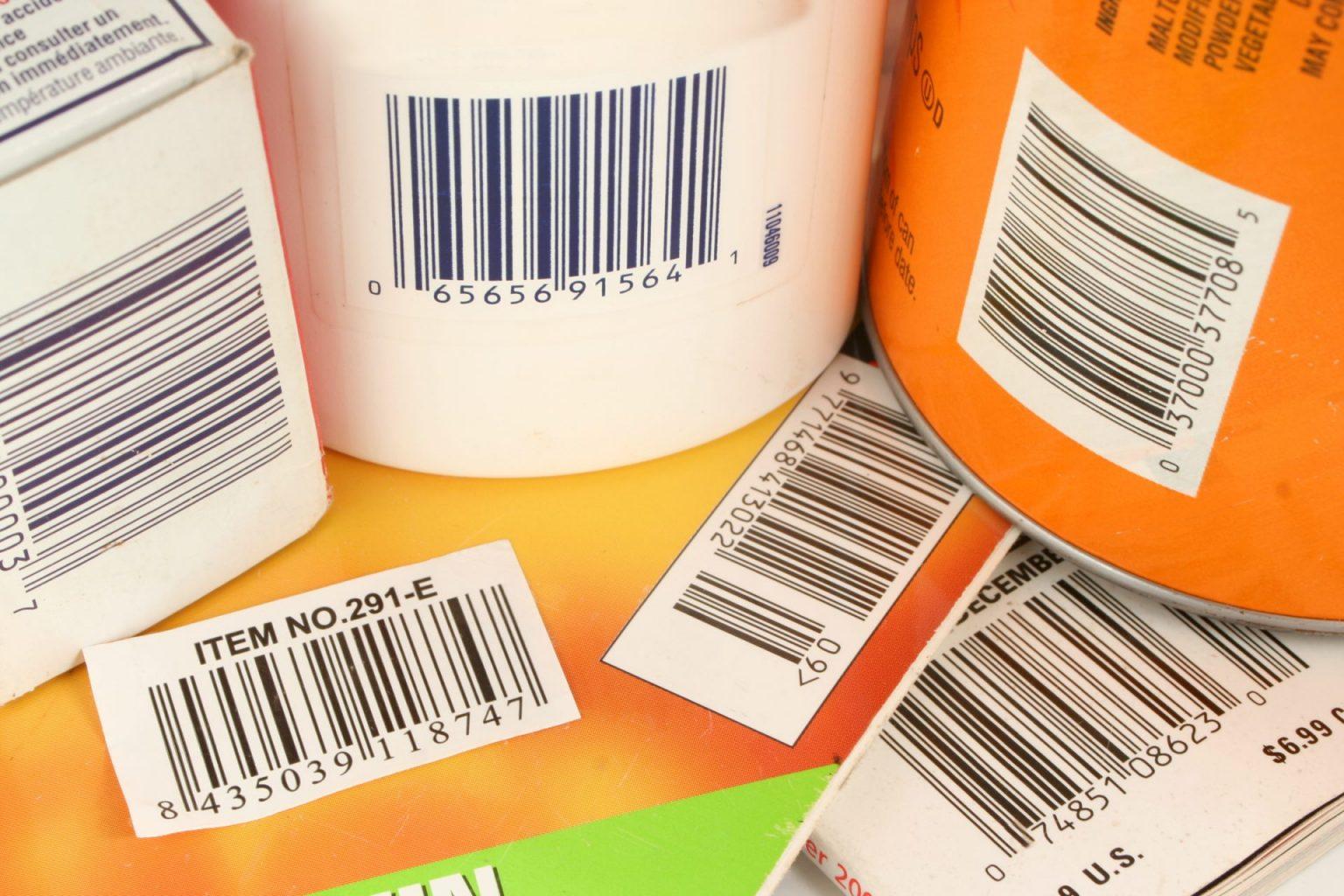
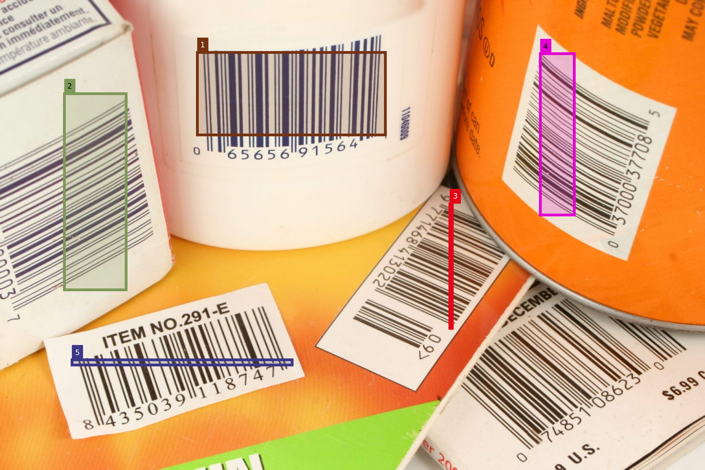
- Any barcodes or qr-codes? if yes, highlight the barcode regions and read them.
- Any texts? if yes, OCR the image.
- Add the necessary post-processing e.g. image annotations
- Finally collect at the resulting metadata tags 𖤘 and contents ⚲ (to be hashed) and URL export as String
**Case 1**: Single image multiple barcodes only
[](https://wiki.compclassnotes.com/uploads/images/gallery/2026-06/scaled-1680-/adobestock-738912-1536x1024-2985424236.jpg)
```
//symbol to process barcodes and qrcodes;
𝄃𝄂𝄀𝄁𝄃𝄂;
🔐;
//add name and other information;
⛓️ (
𖤘 "type"->"image segmentation"
𖤘 "info"->"qr code detection in photo"
𖤘 "publisher"->"CDN: compdatanotes.com"
𖤘 "©"->"CC-BY-NC-ND 4.0"
);
show "𝄃𝄂𝄀𝄁𝄃𝄂/index";
show "𝄃𝄂𝄀𝄁𝄃𝄂/bartexts";
save as qr1;
```
Output
"𝄃𝄂𝄀𝄁𝄃𝄂/index"
[](https://wiki.compclassnotes.com/uploads/images/gallery/2026-06/scaled-1680-/blox-qr.png)
"𝄃𝄂𝄀𝄁𝄃𝄂/bartexts"
{"065656915641", "065515000037", "9771468413022", "037000377085", "8435039118747"}
##### Blockchain Certificate
"⛓️/certificate" (trimmed text)
[https://www.wolframcloud.com/obj/ccn2/freeform/ff/blockchain/bloxberg2/cert\_json/ff\_free\_blox\_qr.json](https://www.wolframcloud.com/obj/ccn2/freeform/ff/blockchain/bloxberg2/cert_json/ff_free_blox_qr.json)
There are currently 4 default mandatory items inside the hash list or the CRID and you can obtain the barcode related ones
Scanned bars as above
[https://www.wolframcloud.com/obj/ccn2/freeform/ff/images/ff\_free\_blox\_qr\_bars.png](https://www.wolframcloud.com/obj/ccn2/freeform/ff/images/ff_free_blox_qr_bars.png)
JSON containing if any other OCR texts computed from the image
[https://www.wolframcloud.com/obj/ccn2/freeform/ff/images/ff\_free\_blox\_qr\_imagetext.json](https://www.wolframcloud.com/obj/ccn2/freeform/ff/images/ff_free_blox_qr_imagetext.json)
See the bounding box JSON below addresses as "\_boxes"
[https://www.wolframcloud.com/obj/ccn2/freeform/ff/images/ff\_free\_blox\_qr\_boxes.json](https://www.wolframcloud.com/obj/ccn2/freeform/ff/images/ff_free_blox_qr_boxes.json)
The String values for the barcodes and the qr codes
[https://www.wolframcloud.com/obj/ccn2/freeform/ff/images/ff\_free\_blox\_qr\_barcodebox.json](https://www.wolframcloud.com/obj/ccn2/freeform/ff/images/ff_free_blox_qr_barcodebox.json)
"𝄃𝄂𝄀𝄁𝄃𝄂/⚲"
⚲"https://www.wolframcloud.com/obj/ccn2/freeform/ff/images/certs\_free\_qr1\_bars.png⨁https://www.wolframcloud.com/obj/ccn2/freeform/ff/images/certs\_free\_qr1\_imagetext.json⨁https://www.wolframcloud.com/obj/ccn2/freeform/ff/images/certs\_free\_qr1\_boxes.json⨁https://www.wolframcloud.com/obj/ccn2/freeform/ff/images/certs\_free\_qr1\_barcodebox.json⨁https://www.wolframcloud.com/obj/ccn2/freeform/ff/images/certs\_free\_qr1\_linehighlights.png⨁https://www.wolframcloud.com/obj/ccn2/freeform/ff/images/certs\_free\_qr1\_lineboxes.json"
##### qr-codes or bar-codes bounding box scanning area
Any geometrical information pertinent to full understanding and computational access for a region of an image or a recognized object is computed and place in appropriate JSON structures.
##### Cloud Object Browser
##### PDF Certificate