# Applicable Cryptography

- ***Applicable Free Form Programmable Cryptography.***
- **Author**: Dara O Shayda
- **Artwork**: Tokyo Ghoul

# Preface

<span style="color:rgb(0,0,0);white-space:pre-wrap;">The Free Form Programmable Cryptography is designed for applicable coding, and standalone application units with instant use and benefit for the public. </span>

<span style="color:rgb(0,0,0);white-space:pre-wrap;">The Free Form Programmable Cryptography uses ideograms, pictograms and small Spoken phrases, however with semantics of the most powerful, standard and modern commercial cryptography. Moreover, all computational components reside within multiple highly secured cloud systems suitable for scientific computing and hopefully law enforceable applications. </span>

<span style="color:rgb(0,0,0);white-space:pre-wrap;">I greatly hope that this aspect of the Free Form Programmable Cryptography ends up being most useful and elevating for everyone on this planet, to </span>**learn**<span style="color:rgb(0,0,0);white-space:pre-wrap;"> and to </span>**protect**<span style="color:rgb(0,0,0);">!</span>

<span style="color:rgb(0,0,0);">Dara O Shayda</span>

<span style="color:rgb(0,0,0);">May 18 2026</span>

<span style="color:rgb(0,0,0);">Chief of Software</span>

<span style="color:rgb(0,0,0);">Computational Classnotes</span>

<span style="color:rgb(0,0,0);white-space:pre-wrap;">Republic of Ireland </span>

<span style="white-space:pre-wrap;">An </span>**ideogram**<span style="white-space:pre-wrap;"> or </span>**ideograph**<span style="white-space:pre-wrap;"> (from </span>[Greek](https://en.wikipedia.org/wiki/Ancient_Greek "Ancient Greek")<span style="white-space:pre-wrap;"> </span>**idéa**<span style="white-space:pre-wrap;"> 'idea' + </span>**gráphō**<span style="white-space:pre-wrap;"> 'to write') is a </span>[symbol](https://en.wikipedia.org/wiki/Symbol "Symbol")<span style="white-space:pre-wrap;"> that is used within a given </span>[writing system](https://en.wikipedia.org/wiki/Writing_system "Writing system")<span style="white-space:pre-wrap;"> to represent an </span>[idea](https://en.wikipedia.org/wiki/Idea "Idea")<span style="white-space:pre-wrap;"> or concept in a given language.</span>[<sup><span class="editor-theme-superscript">\[1\]</span></sup>](https://en.wikipedia.org/wiki/Ideogram#cite_note-1)<span style="white-space:pre-wrap;"> </span><span style="color:rgb(0,0,0);white-space:pre-wrap;">. </span><span style="white-space:pre-wrap;">Some ideograms are more arbitrary than others: some are only meaningful assuming preexisting familiarity with some convention; others more directly resemble their </span>[signifieds](https://en.wikipedia.org/wiki/Signified "Signified")<span style="white-space:pre-wrap;">. Ideograms that represent physical objects by visually illustrating them are called </span>[**pictograms**](https://en.wikipedia.org/wiki/Pictogram "Pictogram").[<sup><span class="editor-theme-superscript">\[3\]</span></sup>](https://en.wikipedia.org/wiki/Ideogram#cite_note-FOOTNOTERobertson200425%E2%80%9327-3)[<sup><span class="editor-theme-superscript">\[4\]</span></sup>](https://en.wikipedia.org/wiki/Ideogram#cite_note-EBpictography-4)

# Digital Signature

Computational components for signing any objects

# hash[ ], ⌗[ ], ⌗@

<span style="white-space: pre-wrap;">A </span>**hash code**<span style="white-space: pre-wrap;"> is a fixed-size numerical value generated from input data of arbitrary size, used primarily for indexing data in hash tables. It allows for efficient data retrieval and storage by mapping variable-length data to a fixed-length representation.</span>

<span style="white-space: pre-wrap;">Think of the hash code as a unique digital signature for any data that once even if one bit of that data altered the entire new hash code would be different. </span>

**Example**: "dara is good lookin" has the hash code:

"0x05ee501e3232083ca0f16b02011944e735f78db170c568c2ea85e56380ddca05"

**Counterexample**: "dara is good lookin**.**" the ending red dot cause an entire change to the has code above:

"0x4700eceb9e5cbc887ad3dea1833081d51c3572c7886ea9c8a3f30b0c5ad4c614"

```kotlin
hash1 = ⌗["dara is good lookin"];
hash2 = ⌗@"dara is good lookin";
hash3 = hash["dara is good looking"];

show hash1 also hash2 also hash3;

save as myhash;
```

**Output**<span style="white-space: pre-wrap;"> </span>

hash1⟶("0x05ee501e3232083ca0f16b02011944e735f78db170c568c2ea85e56380ddca05")

hash2⟶("0x05ee501e3232083ca0f16b02011944e735f78db170c568c2ea85e56380ddca05")

hash3⟶("0x4700eceb9e5cbc887ad3dea1833081d51c3572c7886ea9c8a3f30b0c5ad4c614")

#####   

# Digital Signature

- <span style="color: rgb(0, 0, 0);">Your digital signature is the proof that you signed something</span>
- <span style="color: rgb(0, 0, 0);">Your digital signature attests to the fact that your data was not tampered with</span>
- <span style="color: rgb(0, 0, 0);">In asymmetric key system you ought to sign with the private key 🗝 or any symbol representing one</span>
- <span style="color: rgb(0, 0, 0);">message: any expression from symbols to numerals to expressions to images to audio and video and so on</span>
- <span style="color: rgb(0, 0, 0);">🫆: Free Form language symbol for digital signature in binary operator form in this case. key🫆message computes a signature for the message given this key. Operator form 🫆should be thought of a multiplication a ⨉ b where two left and right operands act on each other to compute a product. In a 🫆b, the key a acts on the message/data b to output a signature.</span>

##### Sign

```
🔐["rsa"];

message = "hi";

signature = 🗝🫆message;

save as signature1;
```

##### Cloud Object Browser: signature1

<iframe height="400" id="bkmrk--1" src="https://www.wolframcloud.com/obj/ccn2/AI/freeform/blockchain/publishedtest/certs_free_signature1" width="600"></iframe>

##### Verify Signature

- <span style="color: rgb(0, 0, 0);">Signature, generally performed in another program in another system and in the past. To access that signature Free Form language follows the path paradigm e.g. "/certs/free/signature1"</span>
- <span style="color: rgb(0, 0, 0);">base = "/certs/free/signature1"; states that the symbol base represents the path on the rhs; base can by any other symbol/word</span>
- <span style="color: rgb(0, 0, 0);">s = "base/signature/value"; allows the access to the external signature value again in path form and s presents the accessed signature</span>

> <span style="color: rgb(0, 0, 0);">Paths starting with / are external paths e.g. "/certs/free/signature1" created by other programs and networks , while paths like "base/signature/value" are local to the current Free Form language script.</span>

- <span style="color: rgb(0, 0, 0);">key = "base/🔑"; in paired key cryptography systems, assumption is everyone has access to the public key 🔑. This public key is then used to verify if the computed signature was indeed performed by the secret private key 🗝 .</span>
- <span style="color: rgb(0, 0, 0);">q = (✍🏻 s ⚲ message)🫆key; this time the rhs the public key acts on the lhs namely (✍🏻 s ⚲ message) and places returns the evaluation boolean result in q.</span>
- <span style="color: rgb(0, 0, 0);">(✍🏻 s ⚲ message) is a generalization of list in other programming languages. Symbols ✍🏻 and ⚲ "pin" contents into the list and depending the pin symbol the content is interpreted</span>
- <span style="color: rgb(0, 0, 0);">⚲ message pins a message the subject matter of interest in this signature computations</span>
- <span style="color: rgb(0, 0, 0);">✍🏻 s pins the signature from a previous program who allegedly signed the message namely ⚲ message</span>

```
base = "/certs/free/signature1";

s = "base/signature/value";

key = "base/🔑";

message = "hi";

q = (✍🏻 s ⚲ message)🫆key;

show q;

save as verify1;
```

<span style="color: rgb(0, 0, 0);">Output:</span>

<span style="color: rgb(0, 0, 0);">"q" ⟶ True</span>

##### Cloud Object Browser: verify1

<iframe height="400" id="bkmrk--2" src="https://www.wolframcloud.com/obj/ccn2/AI/freeform/blockchain/publishedtest/certs_free_verify1" width="600"></iframe>

##### FAIL: Verify Signature

```
base = "/certs/free/signature1";

s = "base/signature/value";

key = "base/🔑";

message = "hi!";

q = ( ✍🏻 s ⚲ message  ) 🫆key;

show q;

save as verify1-2;
```

<span style="color: rgb(0, 0, 0);">Output:</span>

<span style="color: rgb(0, 0, 0);">"q" ⟶ False</span>

##### Cloud Object Browser: verify1-2

<iframe height="400" id="bkmrk--3" src="https://www.wolframcloud.com/obj/ccn2/AI/freeform/blockchain/publishedtest/ff_free_verify1-2" width="600"></iframe>

# Asymmetic Keys

**Two keys one public and one private.**

# Kerckhoffs's Principle

**Kerckhoffs's principle**<span style="color: rgb(0, 0, 0);"> (also called </span>**Kerckhoffs's desideratum**<span style="color: rgb(0, 0, 0);">, </span>**assumption**<span style="color: rgb(0, 0, 0);">, </span>**axiom**<span style="color: rgb(0, 0, 0);">, </span>**doctrine**<span style="color: rgb(0, 0, 0);"> or </span>**law**<span style="color: rgb(0, 0, 0);">) of </span>[<span style="color: rgb(0, 0, 0);">cryptography</span>](https://en.wikipedia.org/wiki/Cryptography "Cryptography")<span style="color: rgb(0, 0, 0);"> was stated by the Dutch cryptographer </span>[<span style="color: rgb(0, 0, 0);">Auguste Kerckhoffs</span>](https://en.wikipedia.org/wiki/Auguste_Kerckhoffs "Auguste Kerckhoffs")<span style="color: rgb(0, 0, 0);"> in the 19th century. The principle holds that a </span>[<span style="color: rgb(0, 0, 0);">cryptosystem</span>](https://en.wikipedia.org/wiki/Cryptosystem "Cryptosystem")<span style="color: rgb(0, 0, 0);"> should be secure, even if everything about the system, except the </span>[<span style="color: rgb(0, 0, 0);">key</span>](https://en.wikipedia.org/wiki/Cryptographic_key "Cryptographic key")<span style="color: rgb(0, 0, 0);">, is public knowledge. This concept is widely embraced by cryptographers, in contrast to </span>[<span style="color: rgb(0, 0, 0);">security through obscurity</span>](https://en.wikipedia.org/wiki/Security_through_obscurity "Security through obscurity")<span style="color: rgb(0, 0, 0);">, which is not.</span>

<span style="color: rgb(0, 0, 0);">Kerckhoffs's principle was phrased by the American mathematician </span>[<span style="color: rgb(0, 0, 0);">Claude Shannon</span>](https://en.wikipedia.org/wiki/Claude_E._Shannon "Claude E. Shannon")<span style="color: rgb(0, 0, 0);"> as "the </span>[<span style="color: rgb(0, 0, 0);">enemy</span>](https://en.wikipedia.org/wiki/Adversary_(cryptography) "Adversary (cryptography)")<span style="color: rgb(0, 0, 0);"> knows the system",\[1\] i.e., "one ought to design systems under the assumption that the enemy will immediately gain full familiarity with them". In that form, it is called </span>**Shannon's maxim**<span style="color: rgb(0, 0, 0);">.</span>

**Security Through Obscurity Considered Dangerous**

<span style="color: rgb(0, 0, 0);">Hiding security vulnerabilities in algorithms, software, and/or hardware decreases the likelihood they will be repaired and increases the likelihood that they can and will be exploited. Discouraging or outlawing discussion of weaknesses and vulnerabilities is extremely dangerous and deleterious to the security of computer systems, the network, and its citizens. \[2\]</span>

**Open Discussion Encourages Better Security**

<span style="color: rgb(0, 0, 0);">The long history of cryptography and cryptoanalysis has shown time and time again that open discussion and analysis of algorithms exposes weaknesses not thought of by the original authors, and thereby leads to better and more secure algorithms. As Kerckhoffs noted about cipher systems in 1883, "Il faut qu'il n'exige pas le secret, et qu'il puisse sans inconvénient tomber entre les mains de l'ennemi." (Roughly, "the system must not require secrecy and must be able to be stolen by the enemy without causing trouble.") \[2\]</span>

\[1\] [https://en.wikipedia.org/wiki/Kerckhoffs%27s\_principle](https://en.wikipedia.org/wiki/Kerckhoffs%27s_principle)

\[2\] [https://www.cs.columbia.edu/~smb/papers/draft-ymbk-obscurity-00.txt](https://www.cs.columbia.edu/~smb/papers/draft-ymbk-obscurity-00.txt)

# 🔑: Public Key, 🗝 Private Key

##### Public-key cryptography, or asymmetric cryptography,

<span style="color: rgb(0, 0, 0);">An unpredictable (typically large and </span>[<span style="color: rgb(0, 0, 0);">random</span>](https://en.wikipedia.org/wiki/Random "Random")<span style="color: rgb(0, 0, 0);">) number is used to begin generation of an acceptable pair of </span>[<span style="color: rgb(0, 0, 0);">keys</span>](https://en.wikipedia.org/wiki/Cryptographic_key "Cryptographic key")<span style="color: rgb(0, 0, 0);"> suitable for use by an asymmetric key algorithm.</span>

##### Free Form Programmable Keys

<span style="color: rgb(0, 0, 0);">🔑: Public Key</span>

<span style="color: rgb(0, 0, 0);"> 🗝 Private Key</span>

![image.png](https://wiki.compclassnotes.com/uploads/images/gallery/2026-08/scaled-1680-/DdMimage.png)

<span style="color: rgb(0, 0, 0);">In this example the message is </span>[<span style="color: rgb(0, 0, 0);">digitally signed</span>](https://en.wikipedia.org/wiki/Digital_signature "Digital signature")<span style="color: rgb(0, 0, 0);"> with Alice's private key, but the message itself is not encrypted. 1) Alice signs a message with her private key. 2) Using Alice's public key, Bob can verify that Alice sent the message and that the message has not been modified.</span>

![image.png](https://wiki.compclassnotes.com/uploads/images/gallery/2026-08/scaled-1680-/jyOimage.png)

\[1\] [https://en.wikipedia.org/wiki/Public-key\_cryptography](https://en.wikipedia.org/wiki/Public-key_cryptography)

# 🔐

<span style="color: rgb(0, 0, 0);">🔐 is a mighty operator, function and a cloud data source all at once!</span>

<span style="color: rgb(0, 0, 0);">In the ff script below you can see on the first line 🔐 acts as singleton operator or function and , and on the 3rd line as a cloud data source:</span>

```
🔐;

tmp = "🔐/curve";

show tmp;

save as 2keys;
```

<span style="color: rgb(0, 0, 0);">Output:</span>

<span style="color: rgb(0, 0, 0);">"tmp" → "ethereum"</span>

##### Cloud Object Browser

<iframe height="500" id="bkmrk-" src="https://www.wolframcloud.com/obj/ccn2/AI/freeform/blockchain/publishedtest/certs_free_2keys" width="600"></iframe>

# Encrypt: 🔑🔒

- <span style="color: rgb(0, 0, 0);">Symbol 🔒behaves like a binary operator</span>
- <span style="color: rgb(0, 0, 0);">🔒 encrypts what is on its rhs e.g. 🔒m</span>
- <span style="color: rgb(0, 0, 0);">🔑🔒uses the key on its lhs to encrypt</span>
- <span style="color: rgb(0, 0, 0); white-space: pre-wrap;">crypt = 🔑🔒 m just like e.g. multiplication copies the resultant into the lhs of = </span>

<p class="callout info"><span style="white-space: pre-wrap;"> 🔑🔒 m behaves like a product by the operator 🔒incorporating is rhs and lhs into a product.</span></p>

```
🔐 ["rsa"] ; 

m = "hi";

crypt = 🔑🔒 m;

show crypt;

save as rsa;
```

<span style="color: rgb(0, 0, 0);">Output:</span>

<span style="color: rgb(0, 0, 0);">"crypted" ⟶ "&lt;|Cipher -&gt; RSA, Data -&gt; ByteArray\[ETlKQciE9Qxm3/+Cm1y8/RdCwREyqc84Od8IrJYGcjlm4RGXxs4oOXl2xEqbsdo1bcUk2C4HkhxeGWInbVPU1ipokp1P7zg3ffUWERID4/NA1waVzbeeFCq4rs6BjXB2/D/QGFYkNEPxkY9NA8OijjeoTWbfjs+DY+nZft585kzDiK8yPF6ZchkcZeLIAJwLi2xiZzGt4Ko1oOypFSyEYoOKljWnm7Iudr4cC/ec/9ap1psUkdDybcMHsFHIUO3OCU0PGIHS9FKR2nCPVTEZZunTLHzXCrHwWf+OZCoFt2qurFpLzD52s3C30hozalgVz5hgn28c9l9DiGmpuc7T0A==\], OriginalForm -&gt; String, Padding -&gt; PKCS1|&gt;"</span>

##### <span style="color: rgb(0, 0, 0);">Cloud Object Browser</span>

<iframe height="500" id="bkmrk-" src="https://www.wolframcloud.com/obj/ccn2/AI/freeform/blockchain/publishedtest/certs_free_rsa" width="600"></iframe>

# Decrypt: 🔒 🗝

```
🔐 ["rsa"] ; 

bob = "hi";

crypt  = 🔑🔒 bob;

alice = crypt 🔒 🗝;

show bob also alice;

save as rsa;
```

Output:

"bob" ⟶ "(\\"hi\\")"

"alice" ⟶ "(\\"hi\\")"

# Blockchain

Compute blockchains containing text, images, audio and videos!

# 🔐, 🔑, 🗝, ⭔

A very simple and a very short but a very powerful program:

```kotlin
🔐;

show (⭔🔑);
show (⭔🗝);

show 🔑 also 🗝;

save as 2keys-show-test;
```

<span style="color: rgb(0, 0, 0);">Output</span>

<iframe height="350" id="bkmrk-" src=" https://www.wolframcloud.com/obj/ccn2/AI/freeform/blockchain/publishedtest/certs_free_2keys-show-test_0fcc0f4d" width="600"></iframe>

##### Cloud Object Browser

<iframe height="500" id="bkmrk-" src="https://www.wolframcloud.com/obj/ccn2/AI/freeform/blockchain/publishedtest/certs_free_2keys-show-test" width="600"></iframe>

# ⛓️

```
🔐;

⛓️ ( 
𖤘 "metadata1"->"I am metadata1"
𖤘 "metadata2"->"I am metadata2"
⚲ "I am content1"
⚲ "I am content2"
);

pdfs = "⛓️/pdf";

show pdfs;

save as certificate0-test;
```

<!-- for this to work make sure you'd searched for ⛓️/pdf in the blockchain browser-->
<span style="color: rgb(0, 0, 0);">Output:</span>

<iframe height="100" id="bkmrk-" src="https://www.wolframcloud.com/obj/ccn2/AI/freeform/blockchain/publishedtest/certs_free_certificate0-test_5f956cf5" width="600"></iframe>


##### <span style="color: rgb(0, 0, 0);">Cloud Object Browser</span>

<iframe height="500" id="bkmrk-" src="https://www.wolframcloud.com/obj/ccn2/AI/freeform/blockchain/publishedtest/certs_free_certificate0-test" width="600"></iframe>

##### PDF Certificates

<iframe height="400" id="bkmrk--3" src="https://www.wolframcloud.com/obj/ccn2/freeform/ff/blockchain/bloxberg2/cert_pdf/certs_free_certificate0-test_1.pdf" width="600"></iframe>

<iframe height="400" id="bkmrk--4" src="https://www.wolframcloud.com/obj/ccn2/freeform/ff/blockchain/bloxberg2/cert_pdf/certs_free_certificate0-test_2.pdf" width="600"></iframe>

# Example: Bardcodes

<span style="color: rgb(0, 0, 0);">Any image/photo entering the Free Form language computational container is immediately processed for:</span>

- <span style="color: rgb(0, 0, 0);">Any faces? if yes, highlight and cutout the facial regions and compute them (their properties).</span>
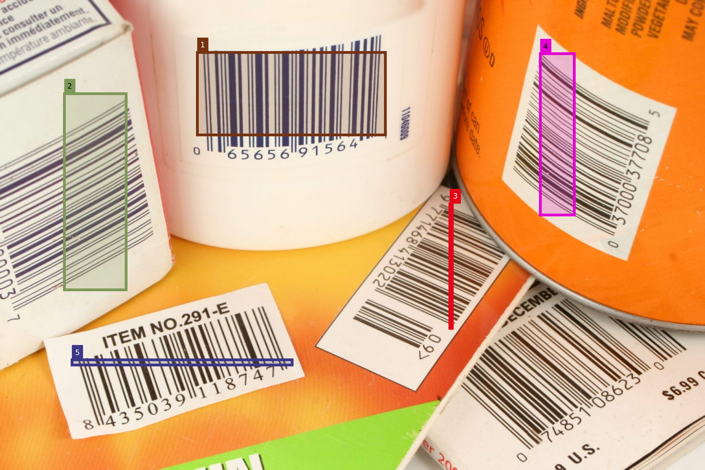
- <span style="color: rgb(0, 0, 0);">Any barcodes or qr-codes? if yes, highlight the barcode regions and read them.</span>
- <span style="color: rgb(0, 0, 0);">Any texts? if yes, OCR the image.</span>
- <span style="color: rgb(0, 0, 0);">Add the necessary post-processing e.g. image annotations</span>
- <span style="color: rgb(0, 0, 0);">Finally collect at the resulting metadata tags 𖤘 and contents ⚲ (to be hashed) and URL export as String</span>

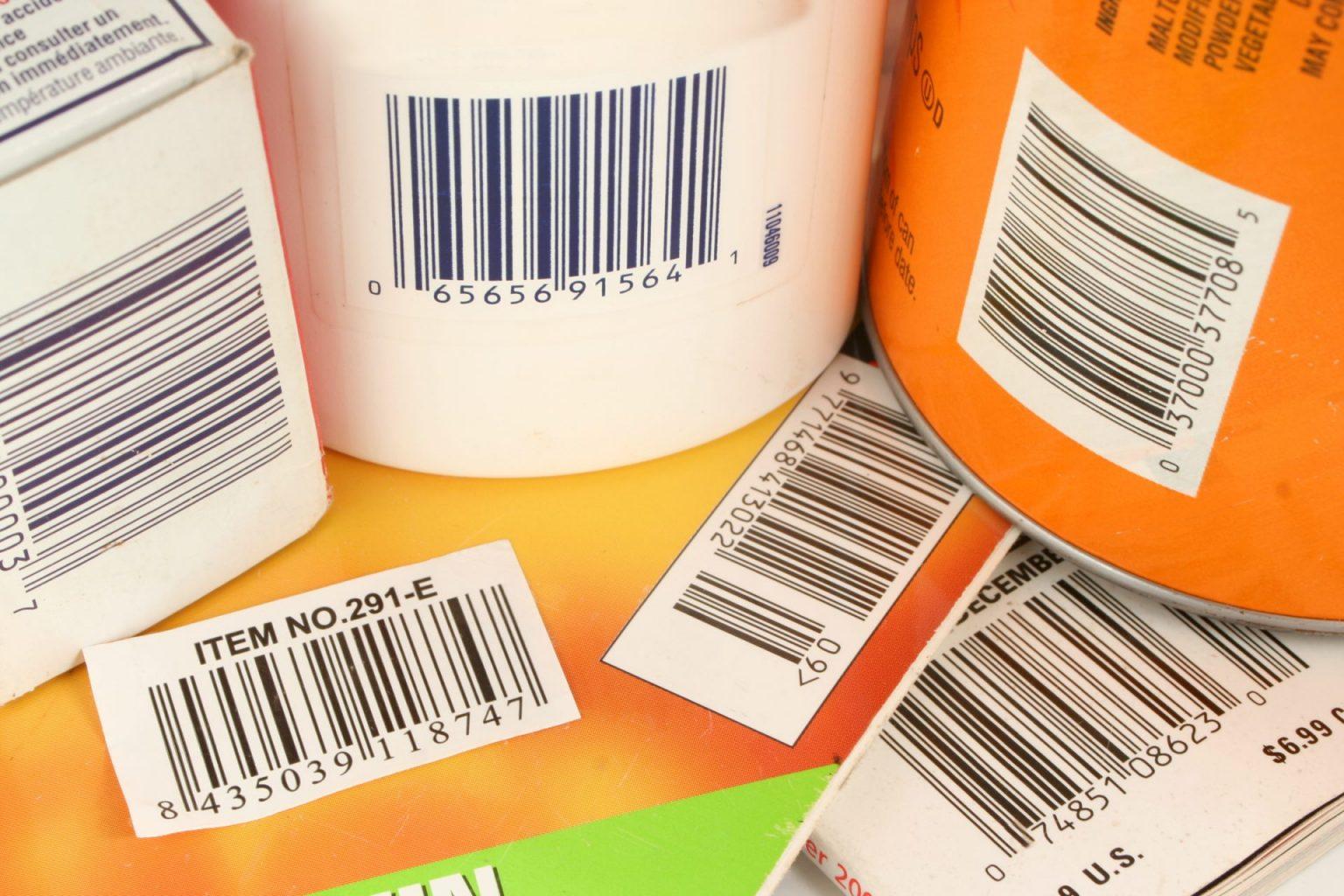
**Case 1**<span style="color: rgb(0, 0, 0);">: Single image multiple barcodes only</span>

[![AdobeStock_738912-1536x1024-2985424236.jpg](https://wiki.compclassnotes.com/uploads/images/gallery/2026-06/scaled-1680-/adobestock-738912-1536x1024-2985424236.jpg)](https://wiki.compclassnotes.com/uploads/images/gallery/2026-06/scaled-1680-/adobestock-738912-1536x1024-2985424236.jpg)

```
//symbol to process barcodes and qrcodes;
𝄃𝄂𝄀𝄁𝄃𝄂;

🔐;

//add name and other information;
⛓️ ( 
𖤘 "type"->"image segmentation"
𖤘 "info"->"qr code detection in photo"
𖤘 "publisher"->"CDN: compdatanotes.com" 
𖤘 "©"->"CC-BY-NC-ND 4.0"
);

show "𝄃𝄂𝄀𝄁𝄃𝄂/index";

show "𝄃𝄂𝄀𝄁𝄃𝄂/bartexts";

save as qr1;
```

<span style="color: rgb(0, 0, 0);">Output</span>

<span style="color: rgb(0, 0, 0);"> "𝄃𝄂𝄀𝄁𝄃𝄂/index"</span>

[![blox_qr.png](https://wiki.compclassnotes.com/uploads/images/gallery/2026-06/scaled-1680-/blox-qr.png)](https://wiki.compclassnotes.com/uploads/images/gallery/2026-06/scaled-1680-/blox-qr.png)

<span style="color: rgb(0, 0, 0);">"𝄃𝄂𝄀𝄁𝄃𝄂/bartexts"</span>

<span style="color: rgb(0, 0, 0);">{"065656915641", "065515000037", "9771468413022", "037000377085", "8435039118747"}</span>

##### <span style="color: rgb(0, 0, 0);">Blockchain Certificate </span>

<span style="color: rgb(0, 0, 0);">"⛓️/certificate" (trimmed text) </span>

[https://www.wolframcloud.com/obj/ccn2/freeform/ff/blockchain/bloxberg2/cert\_json/ff\_free\_blox\_qr.json](https://www.wolframcloud.com/obj/ccn2/freeform/ff/blockchain/bloxberg2/cert_json/ff_free_blox_qr.json)

<span style="color: rgb(0, 0, 0);">There are currently 4 default mandatory items inside the hash list or the CRID and you can obtain the barcode related ones</span>

<span style="color: rgb(0, 0, 0);">Scanned bars as above</span>

[https://www.wolframcloud.com/obj/ccn2/freeform/ff/images/ff\_free\_blox\_qr\_bars.png](https://www.wolframcloud.com/obj/ccn2/freeform/ff/images/ff_free_blox_qr_bars.png)

<span style="color: rgb(0, 0, 0);">JSON containing if any other OCR texts computed from the image</span>

[https://www.wolframcloud.com/obj/ccn2/freeform/ff/images/ff\_free\_blox\_qr\_imagetext.json](https://www.wolframcloud.com/obj/ccn2/freeform/ff/images/ff_free_blox_qr_imagetext.json)

<span style="color: rgb(0, 0, 0);">See the bounding box JSON below addresses as "\_boxes"</span>

[https://www.wolframcloud.com/obj/ccn2/freeform/ff/images/ff\_free\_blox\_qr\_boxes.json](https://www.wolframcloud.com/obj/ccn2/freeform/ff/images/ff_free_blox_qr_boxes.json)

<span style="color: rgb(0, 0, 0);">The String values for the barcodes and the qr codes</span>

[https://www.wolframcloud.com/obj/ccn2/freeform/ff/images/ff\_free\_blox\_qr\_barcodebox.json](https://www.wolframcloud.com/obj/ccn2/freeform/ff/images/ff_free_blox_qr_barcodebox.json)

<span style="color: rgb(0, 0, 0);">"𝄃𝄂𝄀𝄁𝄃𝄂/⚲"</span>

<span style="color: rgb(0, 0, 0);">⚲"https://www.wolframcloud.com/obj/ccn2/freeform/ff/images/certs\_free\_qr1\_bars.png⨁https://www.wolframcloud.com/obj/ccn2/freeform/ff/images/certs\_free\_qr1\_imagetext.json⨁https://www.wolframcloud.com/obj/ccn2/freeform/ff/images/certs\_free\_qr1\_boxes.json⨁https://www.wolframcloud.com/obj/ccn2/freeform/ff/images/certs\_free\_qr1\_barcodebox.json⨁https://www.wolframcloud.com/obj/ccn2/freeform/ff/images/certs\_free\_qr1\_linehighlights.png⨁https://www.wolframcloud.com/obj/ccn2/freeform/ff/images/certs\_free\_qr1\_lineboxes.json"</span>

##### qr-codes or bar-codes bounding box scanning area

<span style="color: rgb(0, 0, 0);">Any geometrical information pertinent to full understanding and computational access for a region of an image or a recognized object is computed and place in appropriate JSON structures. </span>

##### Cloud Object Browser

<iframe height="500" id="bkmrk--2" src="https://www.wolframcloud.com/obj/ccn2/AI/freeform/blockchain/published/certs_free_qr1" width="600"></iframe>

##### PDF Certificate

<iframe height="400" id="bkmrk--3" src="https://www.wolframcloud.com/obj/ccn2/freeform/ff/blockchain/bloxberg2/cert_pdf/certs_free_qr1_1.pdf" width="600"></iframe>

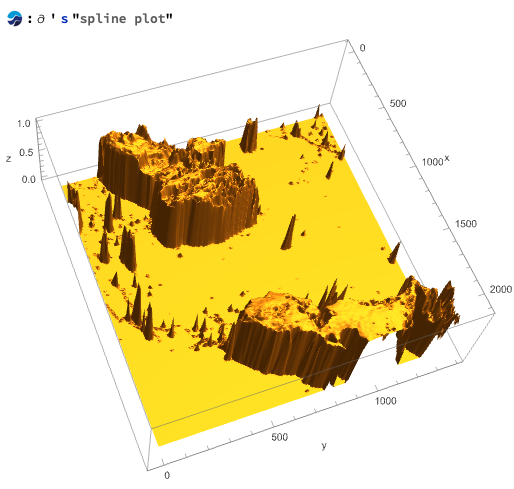
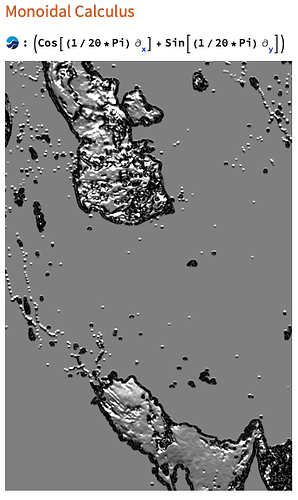
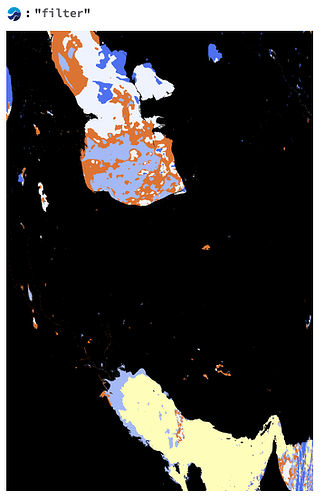
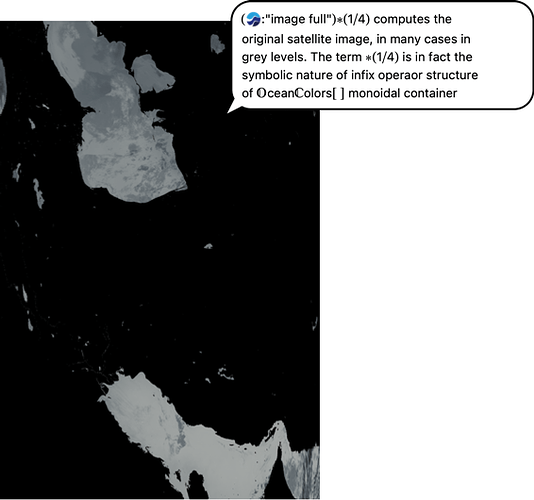
# Example: NASA Ocean Color (MODIS)

##### Ocean Colors?

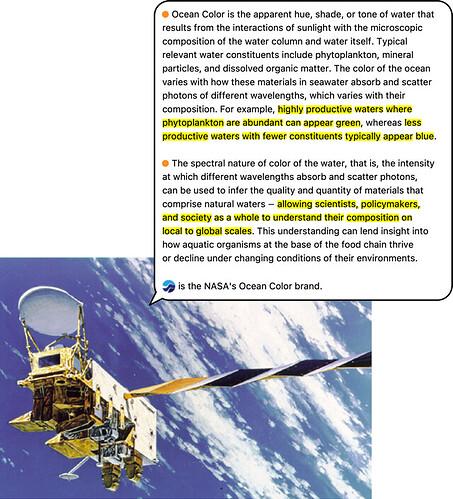
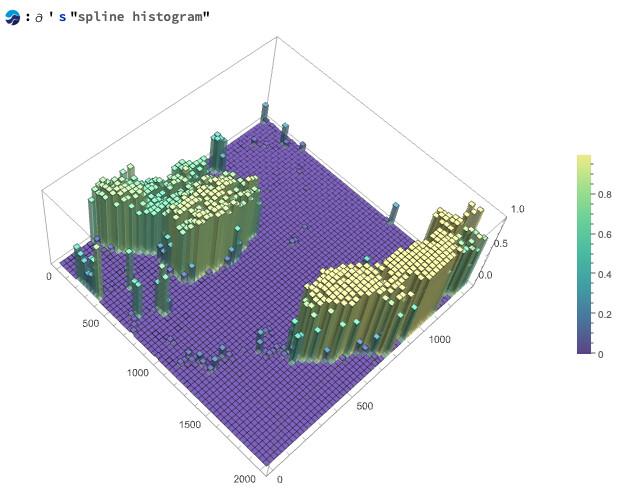
- T<span style="color: rgb(0, 0, 0);">he MODIS instrument is operating on both the Terra and Aqua spacecraft. It has a viewing swath width of 2,330 km and views the entire surface of the Earth every one to two days. Its detectors measure 36 spectral bands between 0.405 and 14.385 µm, and it acquires data at three spatial resolutions -- 250m, 500m, and 1,000m.</span>
- <span style="color: rgb(0, 0, 0);">Along with all the data from other instruments on board the Terra spacecraft and Aqua Spacecraft, MODIS data are transferred to ground stations in White Sands, New Mexico, via the Tracking and Data Relay Satellite System (TDRSS). The data are then sent to the EOS Data and Operations System (EDOS) at the Goddard Space Flight Center. The Level 1A, Level 1B, geolocation and cloud mask products and the Higher-level MODIS land and atmosphere products are produced by the MODIS Adaptive Processing System (MODAPS), and then are parceled out among three DAACs for distribution. Ocean color products are produced by the Ocean Color Data Processing System (OCDPS) and distributed to the science and applications community.</span>
- [https://oceandata.sci.gsfc.nasa.gov/](https://oceandata.sci.gsfc.nasa.gov/)
- [https://oceandata.sci.gsfc.nasa.gov/gallery/](https://oceandata.sci.gsfc.nasa.gov/gallery/)

<table id="bkmrk--1"><colgroup><col style="width: 240px;"></col><col style="width: 240px;"></col><col style="width: 240px;"></col></colgroup><tbody><tr><td>[![cdn-989e271bb87bf2281d59a19730891b5aacfe5ed8_2_453x499.jpeg](https://wiki.compclassnotes.com/uploads/images/gallery/2026-08/scaled-1680-/cdn-989e271bb87bf2281d59a19730891b5aacfe5ed8-2-453x499.jpeg)](https://wiki.compclassnotes.com/uploads/images/gallery/2026-08/scaled-1680-/cdn-989e271bb87bf2281d59a19730891b5aacfe5ed8-2-453x499.jpeg)

</td><td>[![colors10.jpg](https://wiki.compclassnotes.com/uploads/images/gallery/2026-08/scaled-1680-/colors10.jpg)](https://wiki.compclassnotes.com/uploads/images/gallery/2026-08/scaled-1680-/colors10.jpg)

</td><td>[![colors9.png](https://wiki.compclassnotes.com/uploads/images/gallery/2026-08/scaled-1680-/colors9.png)](https://wiki.compclassnotes.com/uploads/images/gallery/2026-08/scaled-1680-/colors9.png)

</td></tr><tr><td>[![cdn-ac9b06a641ef5ae4494b3826635705988b4dc125_2_298x500.png](https://wiki.compclassnotes.com/uploads/images/gallery/2026-08/scaled-1680-/cdn-ac9b06a641ef5ae4494b3826635705988b4dc125-2-298x500.png)](https://wiki.compclassnotes.com/uploads/images/gallery/2026-08/scaled-1680-/cdn-ac9b06a641ef5ae4494b3826635705988b4dc125-2-298x500.png)

</td><td>[![cdn-9f4229b1d039f4b2411fb13ebac1f4cb0229058e_2_334x500.png](https://wiki.compclassnotes.com/uploads/images/gallery/2026-08/scaled-1680-/cdn-9f4229b1d039f4b2411fb13ebac1f4cb0229058e-2-334x500.png)](https://wiki.compclassnotes.com/uploads/images/gallery/2026-08/scaled-1680-/cdn-9f4229b1d039f4b2411fb13ebac1f4cb0229058e-2-334x500.png)

</td><td>[![cdn-473da26e5ac4b89a1bd3f448522f84138cdbb1e3_2_534x500.png](https://wiki.compclassnotes.com/uploads/images/gallery/2026-08/scaled-1680-/cdn-473da26e5ac4b89a1bd3f448522f84138cdbb1e3-2-534x500.png)](https://wiki.compclassnotes.com/uploads/images/gallery/2026-08/scaled-1680-/cdn-473da26e5ac4b89a1bd3f448522f84138cdbb1e3-2-534x500.png)

</td></tr></tbody></table>

##### <span style="color: rgb(0, 0, 0);">Free Form Script</span>

<span style="color: rgb(0, 0, 0);">Data from several fully coded papers:</span>

[https://www.researchgate.net/publication/400562876\_OCEAN\_COLOR\_Calculus\_NASA\_MODIS-Aqua\_Satellite\_Image\_Data](https://www.researchgate.net/publication/400562876_OCEAN_COLOR_Calculus_NASA_MODIS-Aqua_Satellite_Image_Data)

DOI:[10.13140/RG.2.2.29744.21764](https://doi.org/10.13140/RG.2.2.29744.21764)

[https://www.researchgate.net/publication/400895427\_OCEAN\_COLOR\_Calculus\_Image\_Integration\_NASA\_MODIS-Aqua\_Satellite\_Part\_1-a90](https://www.researchgate.net/publication/400895427_OCEAN_COLOR_Calculus_Image_Integration_NASA_MODIS-Aqua_Satellite_Part_1-a90)

DOI:[10.13140/RG.2.2.33099.66082](https://doi.org/10.13140/RG.2.2.33099.66082)

[https://www.researchgate.net/publication/400895288\_OCEAN\_COLOR\_Calculus\_Image\_Integration\_NASA\_MODIS-Aqua\_Satellite\_Part\_2-a90](https://www.researchgate.net/publication/400895288_OCEAN_COLOR_Calculus_Image_Integration_NASA_MODIS-Aqua_Satellite_Part_2-a90)

DOI:[10.13140/RG.2.2.16322.44482](https://doi.org/10.13140/RG.2.2.16322.44482)

```
//© 2012-Present CCN Studios Creative Commons Attribution- NonCommercial- ShareAlike 4.0 International Public License;

🔐;

//add name and other information;
⛓️ ( 
𖤘 "type"->"image processing"
𖤘 "info"->"NASA Ocean Color"
𖤘 "satellite"->"MODIS"
𖤘  "publisher"->"CDN: compdatanotes.com" 
𖤘 "©"->"CC-BY-NC-ND 4.0"
);

pdfs = "⛓️/pdf";

show pdfs;

save as ocean-colors-certs;
```

<span style="color: rgb(0, 0, 0);">Output:</span>

<span style="color: rgb(0, 0, 0);">"pdfs" ⟶ "({"https://www.wolframcloud.com/obj/ccn2/freeform/ff/blockchain/bloxberg2/cert\_pdf/certs\_free\_ocean-colors-certs\_1.pdf", "https://www.wolframcloud.com/obj/ccn2/freeform/ff/blockchain/bloxberg2/cert\_pdf/certs\_free\_ocean-colors-certs\_2.pdf", "https://www.wolframcloud.com/obj/ccn2/freeform/ff/blockchain/bloxberg2/cert\_pdf/certs\_free\_ocean-colors-certs\_3.pdf", "https://www.wolframcloud.com/obj/ccn2/freeform/ff/blockchain/bloxberg2/cert\_pdf/certs\_free\_ocean-colors-certs\_4.pdf", "https://www.wolframcloud.com/obj/ccn2/freeform/ff/blockchain/bloxberg2/cert\_pdf/certs\_free\_ocean-colors-certs\_5.pdf", "https://www.wolframcloud.com/obj/ccn2/freeform/ff/blockchain/bloxberg2/cert\_pdf/certs\_free\_ocean-colors-certs\_6.pdf", "https://www.wolframcloud.com/obj/ccn2/freeform/ff/blockchain/bloxberg2/cert\_pdf/certs\_free\_ocean-colors-certs\_7.pdf", "https://www.wolframcloud.com/obj/ccn2/freeform/ff/blockchain/bloxberg2/cert\_pdf/certs\_free\_ocean-colors-certs\_8.pdf", "https://www.wolframcloud.com/obj/ccn2/freeform/ff/blockchain/bloxberg2/cert\_pdf/certs\_free\_ocean-colors-certs\_9.pdf", "https://www.wolframcloud.com/obj/ccn2/freeform/ff/blockchain/bloxberg2/cert\_pdf/certs\_free\_ocean-colors-certs\_10.pdf", "https://www.wolframcloud.com/obj/ccn2/freeform/ff/blockchain/bloxberg2/cert\_pdf/certs\_free\_ocean-colors-certs\_11.pdf", "https://www.wolframcloud.com/obj/ccn2/freeform/ff/blockchain/bloxberg2/cert\_pdf/certs\_free\_ocean-colors-certs\_12.pdf"}) "</span>

##### Batch Input: Zipped Directory

- <span style="color: rgb(0, 0, 0);">Create a directory</span>
- <span style="color: rgb(0, 0, 0);">Copy and paste all files for </span>**Contents**<span style="color: rgb(0, 0, 0);"> into a blockchain</span>
- <span style="color: rgb(0, 0, 0);">Zip the directory</span>

[![Screenshot 2026-08-27 at 15.52.17.png](https://wiki.compclassnotes.com/uploads/images/gallery/2026-08/scaled-1680-/screenshot-2026-08-27-at-15-52-17.png)](https://wiki.compclassnotes.com/uploads/images/gallery/2026-08/screenshot-2026-08-27-at-15-52-17.png)

- <span style="color: rgb(0, 0, 0);">Input the zip file into </span>**Zip File**<span style="color: rgb(0, 0, 0);"> labeled input field </span>

[![Screenshot 2026-08-27 at 16.29.06.png](https://wiki.compclassnotes.com/uploads/images/gallery/2026-08/scaled-1680-/screenshot-2026-08-27-at-16-29-06.png)](https://wiki.compclassnotes.com/uploads/images/gallery/2026-08/scaled-1680-/screenshot-2026-08-27-at-16-29-06.png)##### <span style="color: rgb(0, 0, 0);">Cloud Object Browser</span>

<iframe height="500" id="bkmrk--7" src="https://www.wolframcloud.com/obj/ccn2/AI/freeform/blockchain/publishedtest/certs_free_ocean-colors-certs" width="600"></iframe>

##### PDF Certificates

<iframe height="400" id="bkmrk--8" src="https://www.wolframcloud.com/obj/ccn2/freeform/ff/blockchain/bloxberg2/cert_pdf/certs_free_ocean-colors-certs_1.pdf" width="600"></iframe>

<iframe height="400" id="bkmrk--9" src="https://www.wolframcloud.com/obj/ccn2/freeform/ff/blockchain/bloxberg2/cert_pdf/certs_free_ocean-colors-certs_2.pdf" width="600"></iframe>

<iframe height="400" id="bkmrk--10" src="https://www.wolframcloud.com/obj/ccn2/freeform/ff/blockchain/bloxberg2/cert_pdf/certs_free_ocean-colors-certs_3.pdf" width="600"></iframe>

<iframe height="400" id="bkmrk--11" src="https://www.wolframcloud.com/obj/ccn2/freeform/ff/blockchain/bloxberg2/cert_pdf/certs_free_ocean-colors-certs_4.pdf" width="600"></iframe>

<iframe height="400" id="bkmrk--12" src="https://www.wolframcloud.com/obj/ccn2/freeform/ff/blockchain/bloxberg2/cert_pdf/certs_free_ocean-colors-certs_5.pdf" width="600"></iframe>

<iframe height="400" id="bkmrk--13" src="https://www.wolframcloud.com/obj/ccn2/freeform/ff/blockchain/bloxberg2/cert_pdf/certs_free_ocean-colors-certs_6.pdf" width="600"></iframe>

<iframe height="400" id="bkmrk--14" src="https://www.wolframcloud.com/obj/ccn2/freeform/ff/blockchain/bloxberg2/cert_pdf/certs_free_ocean-colors-certs_7.pdf" width="600"></iframe>

<iframe height="400" id="bkmrk--15" src="https://www.wolframcloud.com/obj/ccn2/freeform/ff/blockchain/bloxberg2/cert_pdf/certs_free_ocean-colors-certs_8.pdf" width="600"></iframe>

<iframe height="400" id="bkmrk--16" src="https://www.wolframcloud.com/obj/ccn2/freeform/ff/blockchain/bloxberg2/cert_pdf/certs_free_ocean-colors-certs_9.pdf" width="600"></iframe>

<iframe height="400" id="bkmrk--17" src="https://www.wolframcloud.com/obj/ccn2/freeform/ff/blockchain/bloxberg2/cert_pdf/certs_free_ocean-colors-certs_10.pdf" width="600"></iframe>

<iframe height="400" id="bkmrk--18" src="https://www.wolframcloud.com/obj/ccn2/freeform/ff/blockchain/bloxberg2/cert_pdf/certs_free_ocean-colors-certs_11.pdf" width="600"></iframe>

<iframe height="400" id="bkmrk--19" src="https://www.wolframcloud.com/obj/ccn2/freeform/ff/blockchain/bloxberg2/cert_pdf/certs_free_ocean-colors-certs_12.pdf" width="600"></iframe>

# Example: Photo ID

```
👶;

🔐;

//add name and other information;
⛓️(
𖤘"first name"->"dara" 
𖤘"last name"->"shayda" 
);

show "👶/highlight";

save as photo_id;
```

[![Screenshot 2026-05-28 at 13.22.29.png](https://wiki.compclassnotes.com/uploads/images/gallery/2026-05/scaled-1680-/screenshot-2026-05-28-at-13-22-29.png)](https://wiki.compclassnotes.com/uploads/images/gallery/2026-05/scaled-1680-/screenshot-2026-05-28-at-13-22-29.png)

# Example Photo Id + multiple images and barcodes

- <span style="white-space: pre-wrap;">USA, the state of Virginia (proposed?) Personal Identity card </span>
- With qrcodes, barcodes and multiple images and text.
- Symbol 👶 does all the facial computing (neural nets), barcodes, qrcodes and image text
- This will empower a universal blockchained or bloxberged Digital object that could and should enable a new de-centralized identification card system.

```
👶;

🔐;

//👶 fills in numerous ⚲content + 𖤘metadata into the blockchain;
⛓️;

show "👶/index";

save as photo_id;
```

"👶/index"

![photo_id1.png](https://wiki.compclassnotes.com/uploads/images/gallery/2026-06/scaled-1680-/photo-id1.png)"👶/barsindex"

[![photo_id2.png](https://wiki.compclassnotes.com/uploads/images/gallery/2026-06/scaled-1680-/photo-id2.png)](https://wiki.compclassnotes.com/uploads/images/gallery/2026-06/scaled-1680-/photo-id2.png)

"👶/highlight"

[![photo_id3.png](https://wiki.compclassnotes.com/uploads/images/gallery/2026-06/scaled-1680-/photo-id3.png)](https://wiki.compclassnotes.com/uploads/images/gallery/2026-06/scaled-1680-/photo-id3.png)

"👶/text"

{

<span style="white-space: pre-wrap;">"image\_text":"Vi soe VA, USA FEDERAL \*\\nLYQIM1A IDENTIFICATION CARD </span>

<span style="white-space: pre-wrap;">\_#n\* a\\n716700487 e\\nTESSIER 8 Gender: Female, Orientation: Straight, </span>

<span style="white-space: pre-wrap;">Age: 35,\\nBELLA Fi Race: White\\/ Non-Hispanic, Votes: Democrat,\\nAd </span>

<span style="white-space: pre-wrap;">srw aD \*B88\\"795-a202 5 Job: Industrial Machinery Repair Worker, </span>

Security\\n74 IN RD: 5 5 â&#128;&#152;Answers: {The Truman Show, Omaha, White},\\n

<span style="white-space: pre-wrap;">Dato of birt ry Marital status: married, Salutation: Mrs.\\nOeio4rt988 </span>

<span style="white-space: pre-wrap;">A\\na ED Height: 5â&#128;&#153; 6â&#128;&#157;\\nF BRO Weight: 136 ssn: Q\\nNONE\\n\\ntek </span>

items tebe IMT |"

}

"👶/bartexts"

{

<span style="white-space: pre-wrap;">"@&lt;LF&gt;&lt;FS&gt;&lt;CR&gt;ANSI </span>

<span style="white-space: pre-wrap;">6360050101DL00300203DLDAQ3265188&lt;LF&gt;DAALOTT,ERIC,B,&lt;LF&gt;DAG763 TEST </span>

<span style="white-space: pre-wrap;">STREET&lt;LF&gt;DAINEW YORK CITY&lt;LF&gt;DAJSC&lt;LF&gt;DAK10005 &lt;LF&gt;DARD &lt;LF&gt;DAS </span>

<span style="white-space: pre-wrap;"> &lt;LF&gt;DAT &lt;LF&gt;DAU601&lt;LF&gt;DAW170&lt;LF&gt;DAYBRO &lt;LF&gt;DAZBRO </span>

&lt;LF&gt;DBA20241004&lt;LF&gt;DBB19911004&lt;LF&gt;DBC1&lt;LF&gt;DBD20140101&lt;LF&gt;DBG2&lt;LF&gt;DBH1

}

##### Color Keys

<span style="background-color: rgb(191, 237, 210);">Blockchain by Bloxberg 2.0</span>

<span style="background-color: rgb(194, 224, 244);">CCN cloud systems</span><span style="white-space: pre-wrap;"> </span>

##### Image Processing + Bloxberg 2.0 Blockchain Digitals

{

<span style="white-space: pre-wrap;">"👶/face", "👶/face1", "👶/highlight", "👶/faces", "👶/index", "👶/text", </span>

<span style="white-space: pre-wrap;">"👶/facials", "👶/boxes", "👶/bartexts", "👶/barsindex", "👶/⚲", "👶/𖤘", "👶 </span>

<span style="white-space: pre-wrap;">processed", "(🔐)", "🔐/type", "🔐/curve", "🔐/compressed", "(🔑)", </span>

<span style="white-space: pre-wrap;">"(⭔🔑)", "⭔🔑/type", "🔑/type", "(🗝)", "(⭔🗝)", "⭔🗝/type", "🗝/type", </span>

"⛓️/bloxberg/contexts", "⛓️/bloxberg/<span style="background-color: rgb(191, 237, 210);">context1/</span><span style="white-space: pre-wrap;">@context", </span>

<span style="white-space: pre-wrap;">"⛓️/bloxberg/context1/id", "⛓️/bloxberg/context1/type", </span>

<span style="white-space: pre-wrap;">"⛓️/bloxberg/context1/issuer", "⛓️/bloxberg/context1/issuancedate", </span>

<span style="white-space: pre-wrap;">"⛓️/bloxberg/context1/credentialsubject", "⛓️/bloxberg/context1/crid", </span>

<span style="white-space: pre-wrap;">"⛓️/bloxberg/context1/cridtype", "⛓️/bloxberg/context1/metadatajson", </span>

"⛓️/bloxberg/context1/proof", "⛓️/bloxberg/<span style="background-color: rgb(191, 237, 210);">context2/</span><span style="white-space: pre-wrap;">@context", </span>

<span style="white-space: pre-wrap;">"⛓️/bloxberg/context2/id", "⛓️/bloxberg/context2/type", </span>

<span style="white-space: pre-wrap;">"⛓️/bloxberg/context2/issuer", "⛓️/bloxberg/context2/issuancedate", </span>

<span style="white-space: pre-wrap;">"⛓️/bloxberg/context2/credentialsubject", "⛓️/bloxberg/context2/crid", </span>

<span style="white-space: pre-wrap;">"⛓️/bloxberg/context2/cridtype", "⛓️/bloxberg/context2/metadatajson", </span>

<span style="white-space: pre-wrap;">"⛓️/bloxberg/context2/proof", "⛓️/bloxberg/context3/@context", </span>

"⛓️/bloxberg/context3/id", "⛓️/bloxberg/<span style="background-color: rgb(191, 237, 210);">context3</span><span style="white-space: pre-wrap;">/type", </span>

<span style="white-space: pre-wrap;">"⛓️/bloxberg/context3/issuer", "⛓️/bloxberg/context3/issuancedate", </span>

<span style="white-space: pre-wrap;">"⛓️/bloxberg/context3/credentialsubject", "⛓️/bloxberg/context3/crid", </span>

<span style="white-space: pre-wrap;">"⛓️/bloxberg/context3/cridtype", "⛓️/bloxberg/context3/metadatajson", </span>

"⛓️/bloxberg/context3/proof", "⛓️/bloxberg/<span style="background-color: rgb(191, 237, 210);">context4</span><span style="white-space: pre-wrap;">/@context", </span>

<span style="white-space: pre-wrap;">"⛓️/bloxberg/context4/id", "⛓️/bloxberg/context4/type", </span>

<span style="white-space: pre-wrap;">"⛓️/bloxberg/context4/issuer", "⛓️/bloxberg/context4/issuancedate", </span>

<span style="white-space: pre-wrap;">"⛓️/bloxberg/context4/credentialsubject", "⛓️/bloxberg/context4/crid", </span>

<span style="white-space: pre-wrap;">"⛓️/bloxberg/context4/cridtype", "⛓️/bloxberg/context4/metadatajson", </span>

"⛓️/bloxberg/context4/proof", "⛓️/bloxberg/<span style="background-color: rgb(191, 237, 210);">context5</span><span style="white-space: pre-wrap;">/@context", </span>

<span style="white-space: pre-wrap;">"⛓️/bloxberg/context5/id", "⛓️/bloxberg/context5/type", </span>

<span style="white-space: pre-wrap;">"⛓️/bloxberg/context5/issuer", "⛓️/bloxberg/context5/issuancedate", </span>

<span style="white-space: pre-wrap;">"⛓️/bloxberg/context5/credentialsubject", "⛓️/bloxberg/context5/crid", </span>

<span style="white-space: pre-wrap;">"⛓️/bloxberg/context5/cridtype", "⛓️/bloxberg/context5/metadatajson", </span>

"⛓️/bloxberg/context5/proof", "⛓️/bloxberg/<span style="background-color: rgb(191, 237, 210);">context6</span><span style="white-space: pre-wrap;">/@context", </span>

<span style="white-space: pre-wrap;">"⛓️/bloxberg/context6/id", "⛓️/bloxberg/context6/type", </span>

<span style="white-space: pre-wrap;">"⛓️/bloxberg/context6/issuer", "⛓️/bloxberg/context6/issuancedate", </span>

<span style="white-space: pre-wrap;">"⛓️/bloxberg/context6/credentialsubject", "⛓️/bloxberg/context6/crid", </span>

<span style="white-space: pre-wrap;">"⛓️/bloxberg/context6/cridtype", "⛓️/bloxberg/context6/metadatajson", </span>

"⛓️/bloxberg/context6/proof", "⛓️/bloxberg/<span style="background-color: rgb(191, 237, 210);">context7</span><span style="white-space: pre-wrap;">/@context", </span>

<span style="white-space: pre-wrap;">"⛓️/bloxberg/context7/id", "⛓️/bloxberg/context7/type", </span>

<span style="white-space: pre-wrap;">"⛓️/bloxberg/context7/issuer", "⛓️/bloxberg/context7/issuancedate", </span>

<span style="white-space: pre-wrap;">"⛓️/bloxberg/context7/credentialsubject", "⛓️/bloxberg/context7/crid", </span>

<span style="white-space: pre-wrap;">"⛓️/bloxberg/context7/cridtype", "⛓️/bloxberg/context7/metadatajson", </span>

<span style="white-space: pre-wrap;">"⛓️/bloxberg/context7/proof", "⛓️/contents", "⛓️/hashlist", "⛓️/key\_eth", </span>

"⛓️/value", "⛓️/pdf", "⛓️/<span style="background-color: rgb(191, 237, 210);">fullcredentialobject</span><span style="white-space: pre-wrap;">", </span>

"⛓️/certificate", "⛓️/metadata",

}

"👶/⚲"

"⚲\\"https://www.wolframcloud.com/obj/ccn2/freeform/ff/images/ff\_free\_blox\_id\_face.png\\"⚲\\"\\ https://www.wolframcloud.com/obj/ccn2/freeform/ff/images/ff\_free\_blox\_\\ id\_facehighlight.png\\"⚲\\"\\ https://www.wolframcloud.com/obj/ccn2/freeform/ff/images/ff\_free\_blox\_id\_facehighlights.png\\"⚲\\"\\ https://www.wolframcloud.com/obj/ccn2/freeform/ff/images/ff\_free\_blox\_id\_index.png\\"⚲\\"\\ https://www.wolframcloud.com/obj/ccn2/freeform/ff/images/ff\_free\_blox\_id\_imagetext.json\\"⚲\\"\\ https://www.wolframcloud.com/obj/ccn2/freeform/ff/images/ff\_free\_blox\_id\_facialpoints.json\\"⚲\\"\\ https://www.wolframcloud.com/obj/ccn2/freeform/ff/images/ff\_free\_blox\_id\_barcodebox.json\\""

"👶/𖤘"

"𖤘\\"group\\"-&gt;\\"ff\\"𖤘\\"user\\"-&gt;\\"free\\"𖤘\\"ffname\\"-&gt;\\"blox\_\\ id\\"𖤘\\"publisher\\"-&gt;\\"CCN\\"𖤘\\"license\\"-&gt;\\"CC-BY-NC-ND 4.0\\""

##### Full Credential Object

"⛓️/fullcredentialobject"

"(\[{\\"<span style="background-color: rgb(191, 237, 210);">@context</span>\\":\[\\"https://www.w3.org/2018/credentials/v1\\",\\"https://w

3id.org/<span style="background-color: rgb(191, 237, 210);">bloxberg</span>/schema/research\_object\_certificate\_

v1\\"\],\\"id\\":\\"https://bloxberg.org\\",\\"type\\":\[\\"VerifiableCredential

\\",\\"BloxbergCredential\\"\],\\"issuer\\":\\"https://raw.githubusercontent.c

om/bloxberg-org/issuer\_json\_

l2/master/issuer.json\\",\\"issuanceDate\\":\\"2026-06-02T02:59:59.

448151+00:00\\",\\"credentialSubject\\":{\\"id\\":\\"https://sepolia.arbisca

n.io/address/0xAF3aD7B80e90C0Ca651a8e673E193eCC690BADA8\\",\\"issuingOrg

\\":{\\"id\\":\\"https://bloxberg.org\\"}},<span style="background-color: rgb(251, 238, 184);">\\</span><span style="background-color: rgb(191, 237, 210);">"crid\\":\\"9d05f7aa5009599ded40f</span>

<span style="background-color: rgb(191, 237, 210);">f901de8fbce8bedb00004c0e6ad77fd128c7fac6806\\",\\</span>"cridType\\":\\"sha2-256\\",\\<span style="background-color: rgb(191, 237, 210);">"m</span>

<span style="background-color: rgb(191, 237, 210);">etadataJson</span>\\"<span style="background-color: rgb(194, 224, 244); white-space: pre-wrap;">:\\"{\\\\\\"group\\\\\\":\\\\\\"ff\\\\\\", \\\\\\"user\\\\\\":\\\\\\"free\\\\\\", </span>

<span style="background-color: rgb(194, 224, 244); white-space: pre-wrap;">\\\\\\"ffname\\\\\\":\\\\\\"blox\_id\\\\\\", \\\\\\"publisher\\\\\\":\\\\\\"CCN\\\\\\", </span>

<span style="background-color: rgb(194, 224, 244); white-space: pre-wrap;">\\\\\\"license\\\\\\":\\\\\\"CC-BY-NC-ND </span>

<span style="background-color: rgb(194, 224, 244);">4.0\\\\\\"}\\",\\</span>"proof\\":{\\"type\\":\\"MerkleProof2019\\",\\"created\\":\\"2026-0

6-02T02:59:59.

947487\\",\\"<span style="background-color: rgb(191, 237, 210);">proofValue</span>\\":\\"zLBHrm1GqmftAu35gTndQtHSErc2pdrx2dQ69dF9Fqvj

vqCY71iNnFEaW1kSw5rVcT6XXiWJHY7uUQyKhjPsg32KpHfyMR2GZZkEeY7YvcRRQSAjkK

sduAX2KXxWnFFBWFbn27m7m9ritdwzTzbbGFPRNfAqSeGhDKxTqLp4wYgqfAWAuFxDnG3n

hyUDCAP1c9BohuH45o3f64tEnAH3LQmJkzGKKixRqz9TtypnELSJwzeMPTWZNPTihHhL2P

A9N9YvMt3RtbJGaWzRAwebi7Tf2FwujSNmCX7Cygb13 ...

...

<span style="background-color: rgb(191, 237, 210);">@context\\</span>":\[\\"https://www.w3.org/2018/creden

tials/v1\\",\\"https://w3id.org/bloxberg/schema/research\_object\_

certificate\_

v1\\"\],\\"id\\":\\"https://bloxberg.org\\",\\"type\\":\[\\"VerifiableCredential

\\",\\"BloxbergCredential\\"\],\\"issuer\\":\\"https://raw.githubusercontent.c

om/bloxberg-org/issuer\_json\_

l2/master/issuer.json\\",\\"issuanceDate\\":\\"2026-06-02T02:59:59.

448151+00:00\\",\\"credentialSubject\\":{\\"id\\":\\"https://sepolia.arbisca

n.io/address/0xAF3aD7B80e90C0Ca651a8e673E193eCC690BADA8\\",\\"issuingOrg

\\":{\\"id\\":\\"https://bloxberg.org\\"}},\\"<span style="background-color: rgb(191, 237, 210);">crid\\":\\"5b57331ee65751d0024a3</span>

<span style="background-color: rgb(191, 237, 210);">f47940cdecdeebf27e070c670cdee7e472aaaa274f3\\</span>",\\"cridType\\":\\"sha2-256\\",\\"<span style="background-color: rgb(191, 237, 210);">m</span>

<span style="background-color: rgb(191, 237, 210);">etadataJson\\</span>":\\<span style="background-color: rgb(194, 224, 244); white-space: pre-wrap;">"{\\\\\\"group\\\\\\":\\\\\\"ff\\\\\\", \\\\\\"user\\\\\\":\\\\\\"free\\\\\\", </span>

<span style="background-color: rgb(194, 224, 244); white-space: pre-wrap;">\\\\\\"ffname\\\\\\":\\\\\\"blox\_id\\\\\\", \\\\\\"publisher\\\\\\":\\\\\\"CCN\\\\\\", </span>

<span style="background-color: rgb(194, 224, 244); white-space: pre-wrap;">\\\\\\"license\\\\\\":\\\\\\"CC-BY-NC-ND </span>

<span style="background-color: rgb(194, 224, 244);">4.0\\\\\\"}\\",\\</span>"proof\\":{\\"type\\":\\"MerkleProof2019\\",\\"created\\":\\"2026-0

6-02T02:59:59.\\

951710\\",\\"<span style="background-color: rgb(191, 237, 210);">proofValue</span>\\":\\"zLBHrm1GqUpCCwm ....

...

<span style="white-space: pre-wrap;">"⛓️/pdf" </span>

<span style="white-space: pre-wrap;">"({\\"https://www.wolframcloud.com/obj/ccn2/freeform/ff/blockchain/bloxberg2/cert\_pdf/ff\_free\_blox\_id\_1.pdf\\", </span>

<span style="white-space: pre-wrap;">\\"https://www.wolframcloud.com/obj/ccn2/freeform/ff/blockchain/bloxberg2/cert\_pdf/ff\_free\_blox\_id\_2.pdf\\", </span>

<span style="white-space: pre-wrap;">\\"https://www.wolframcloud.com/obj/ccn2/freeform/ff/blockchain/bloxber2/cert\_pdf/ff\_free\_blox\_id\_3.pdf\\", </span>

<span style="white-space: pre-wrap;">\\"https://www.wolframcloud.com/obj/ccn2/freeform/ff/blockchain/bloxberg2/cert\_pdf/ff\_free\_blox\_id\_4.pdf\\", </span>

<span style="white-space: pre-wrap;">\\"https://www.wolframcloud.com/obj/ccn2/freeform/ff/blockchain/bloxberg2/cert\_pdf/ff\_free\_blox\_id\_5.pdf\\", </span>

<span style="white-space: pre-wrap;">\\"https://www.wolframcloud.com/obj/ccn2/freeform/ff/blockchain/bloxberg2/cert\_pdf/ff\_free\_blox\_id\_6.pdf\\", </span>

\\"https://www.wolframcloud.com/obj/ccn2/freeform/ff/blockchain/bloxberg2/cert\_pdf/ff\_free\_blox\_id\_7.pdf\\"})"

**Certificate 1**

[![ff_free_blox_id_7.png](https://wiki.compclassnotes.com/uploads/images/gallery/2026-06/scaled-1680-/ff-free-blox-id-7.png)](https://wiki.compclassnotes.com/uploads/images/gallery/2026-06/scaled-1680-/ff-free-blox-id-7.png)

**Certificate 7**

[![ff_free_blox_id_1.png](https://wiki.compclassnotes.com/uploads/images/gallery/2026-06/scaled-1680-/ff-free-blox-id-1.png)](https://wiki.compclassnotes.com/uploads/images/gallery/2026-06/scaled-1680-/ff-free-blox-id-1.png)

# Example Polymer Simulation

```
//© 2012-Present CCN Studios Creative Commons Attribution - 
NonCommercial- ShareAlike 4.0 International Public License;

🔐;

⛓️ ( 
𖤘 "platform"->"Nodule Construct 2026.8b1 (Aug 4th)" 
𖤘 "app"->"certs/free/polymer4"
𖤘 "unity"->"6000.4.9f1"
𖤘 "license"->"CC-BY-NC-ND 4.0"
);

//transforms C# classes into Cloud Objects for remote Unity runtime compilation;
references' type is reference; 
references' list = { 'Polymer2, 'SpinLocal3, 'Platform3, 
'MeshSpawner3,'MeshSticker3, 'SpawnPlayer3, 'SimpleWalkable3}; 

classes' type is class; 

classes' list = {'Constructor3}; 


save as polymer5;
```

##### <span style="color: rgb(0, 0, 0);">Nodule Construct</span>

<span style="color: rgb(0, 0, 0);">Enter into the input box on top left:</span>

<span style="color: rgb(0, 0, 0); background-color: rgb(251, 238, 184);">certs/free/polymer5 + orb</span>

<iframe allowfullscreen="" height="580" id="bkmrk-%5Bplay-nodule-test-%28w" src="https://itch.io/embed-upload/18667140?color=333333" width="980">\[Play Nodule Test (WEBGL) on itch.io\](https://ccnstudios.itch.io/nodule-test-webgl)</iframe>

##### <span style="color: rgb(0, 0, 0);">Blockchain Contents</span>

<iframe height="500" id="bkmrk-" src="https://www.wolframcloud.com/obj/ccn2/AI/freeform/blockchain/publishedtest/certs_free_polymer5_fe0baa4b" width="600"></iframe>

##### <span style="color: rgb(0, 0, 0);">Cloud Object Browser</span>

<iframe height="500" id="bkmrk--1" src="https://www.wolframcloud.com/obj/ccn2/AI/freeform/blockchain/publishedtest/certs_free_polymer5" width="600"></iframe>

##### PDF Certificates

<iframe height="400" id="bkmrk--3" src="https://www.wolframcloud.com/obj/ccn2/freeform/ff/blockchain/bloxberg2/cert_pdf/certs_free_polymer5_1.pdf" width="600"></iframe>

<iframe height="400" id="bkmrk--2" src="https://www.wolframcloud.com/obj/ccn2/freeform/ff/blockchain/bloxberg2/cert_pdf/certs_free_polymer5_2.pdf" width="600"></iframe>

<iframe height="400" id="bkmrk--4" src="https://www.wolframcloud.com/obj/ccn2/freeform/ff/blockchain/bloxberg2/cert_pdf/certs_free_polymer5_3.pdf" width="600"></iframe>

<iframe height="400" id="bkmrk--5" src="https://www.wolframcloud.com/obj/ccn2/freeform/ff/blockchain/bloxberg2/cert_pdf/certs_free_polymer5_4.pdf" width="600"></iframe>

<iframe height="400" id="bkmrk--6" src="https://www.wolframcloud.com/obj/ccn2/freeform/ff/blockchain/bloxberg2/cert_pdf/certs_free_polymer5_5.pdf" width="600"></iframe>

<iframe height="400" id="bkmrk--7" src="https://www.wolframcloud.com/obj/ccn2/freeform/ff/blockchain/bloxberg2/cert_pdf/certs_free_polymer5_6.pdf" width="600"></iframe>

<iframe height="400" id="bkmrk--8" src="https://www.wolframcloud.com/obj/ccn2/freeform/ff/blockchain/bloxberg2/cert_pdf/certs_free_polymer5_7.pdf" width="600"></iframe>

<iframe height="400" id="bkmrk--9" src="https://www.wolframcloud.com/obj/ccn2/freeform/ff/blockchain/bloxberg2/cert_pdf/certs_free_polymer5_8.pdf" width="600"></iframe>

# Channels

Human chat channels

# 👥

```
🔐["rsa"];

//group chat;
👥 (
𖤘"owner"->"free" 
);

save as channel1;
```

# 🗣

```
🗣 (
𖤘"user"->"dara"
𖤘"channel"->"/ff/free/channel1"
𖤘"secret"->"we are free!"    
);

save as user1;
```